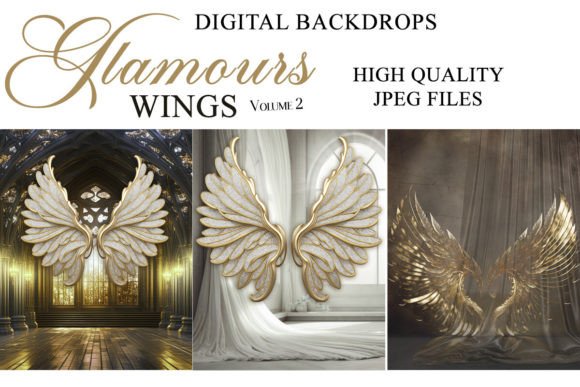
Transform Your Photos with Glamours Wings V2 Digital Backgrounds
The Power of Layered Composites
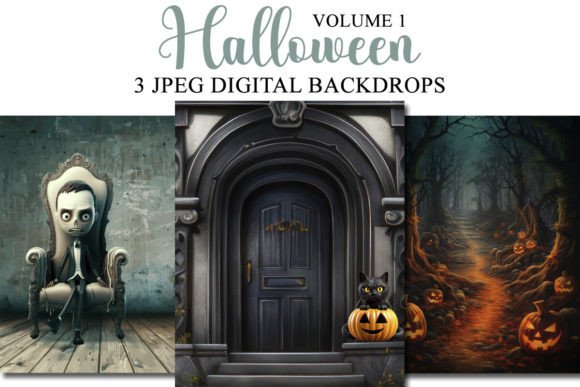
In the world of digital photography and design, the ability to transport your subject into a new reality is a game-changer. Glamours Wings V2 Digital Backgrounds offer a gateway to this creative freedom. These aren't just static images; they are high-quality, layered design assets built for manipulation. Think of them as foundational canvases for composite photography. Whether you're a professional photographer crafting a fantasy portrait for a client or a content creator developing a unique brand visual, these backdrops provide the essential starting point. They are designed to work seamlessly in any photo editing program that supports layers, from industry standards like Adobe Photoshop and Lightroom (with the ON1 plugin) to accessible tools like GIMP, Paint Shop Pro, and even PicMonkey. The process is straightforward: place your subject on a new layer, blend, and watch the scene come together.
Where Glamours Wings V2 Shines: Practical Applications
The true value of a premium digital backdrop lies in its versatility. For portrait photographers, Glamours Wings V2 opens up endless creative possibilities without the cost and logistics of physical sets. You can create ethereal fairy-tale scenes, dramatic fantasy landscapes, or elegant studio-style portraits with a twist—all in post-production. The consistent quality ensures your final images have a professional, polished look that clients expect.
Beyond photography, these backdrops are invaluable for designers and marketers. Imagine crafting social media graphics that stop the scroll. A unique, eye-catching background can make a product photo or a promotional quote stand out in a crowded feed. For entrepreneurs and small business owners, this is a cost-effective way to elevate brand identity. Use a subtle, textured backdrop from the set for website headers, email marketing banners, or digital ad campaigns to add depth and sophistication. Bloggers and publishers can use them to create consistent, branded featured images for articles, making their content instantly recognizable.
Maximizing Your Results: A Designer's Perspective
As with any design asset, thoughtful implementation is key to achieving professional results. Before you even open your editing software, plan your composition. Consider the pose and angle of your subject. The magic happens when the lighting on your subject matches the directional light implied in the digital backdrop. If the backdrop suggests light coming from the upper left, ensure your subject's shadows and highlights reflect that. This attention to detail is what separates a convincing composite from a jarring one.
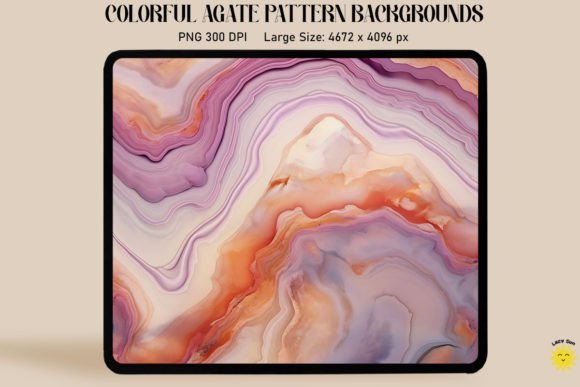
When evaluating the Glamours Wings V2 set, look at the included designs. Do the visual styles—be it whimsical, dramatic, or minimalist—align with your project's tone and your brand's personality? A backdrop with a soft, dreamy quality might be perfect for a wedding photographer's portfolio, while a more textured, abstract one could suit a graphic designer's modern typography project. Always test the backdrop with a sample subject image to see how colors blend and edges interact. The high 300dpi resolution and substantial pixel dimensions (3000 x 2400 px) give you plenty of room to work, crop, and resize for both digital and print applications, from social media graphics to small posters.
Choosing and Using Your Digital Assets
Integrating these backdrops into your workflow is designed to be intuitive. They function much like other layers-based design assets. For those new to compositing, start simple. Use basic layer masks and soft brushes to blend the edges of your subject with the background. Experiment with blending modes like Multiply, Screen, or Overlay to adjust shadows and highlights. The goal is to create a cohesive image where the subject and background feel like they belong in the same space.
From a commercial standpoint, understanding the licensing is crucial. Ensure the usage rights cover your intended projects, whether it's for client work, products for sale, or internal marketing materials. The compatibility with such a wide range of software—from Adobe's suite to free alternatives like GIMP—means you're not locked into a single expensive program. This flexibility is a significant advantage for freelancers and small businesses managing software costs.
Ultimately, Glamours Wings V2 Digital Backgrounds are more than just pretty pictures. They are practical tools for visual storytelling. They empower you to overcome the limitations of location and budget, allowing your creativity to drive the final image. By focusing on planning, lighting consistency, and thoughtful blending, you can leverage these assets to produce compelling, professional-grade visuals that enhance your brand, engage your audience, and elevate your creative work.